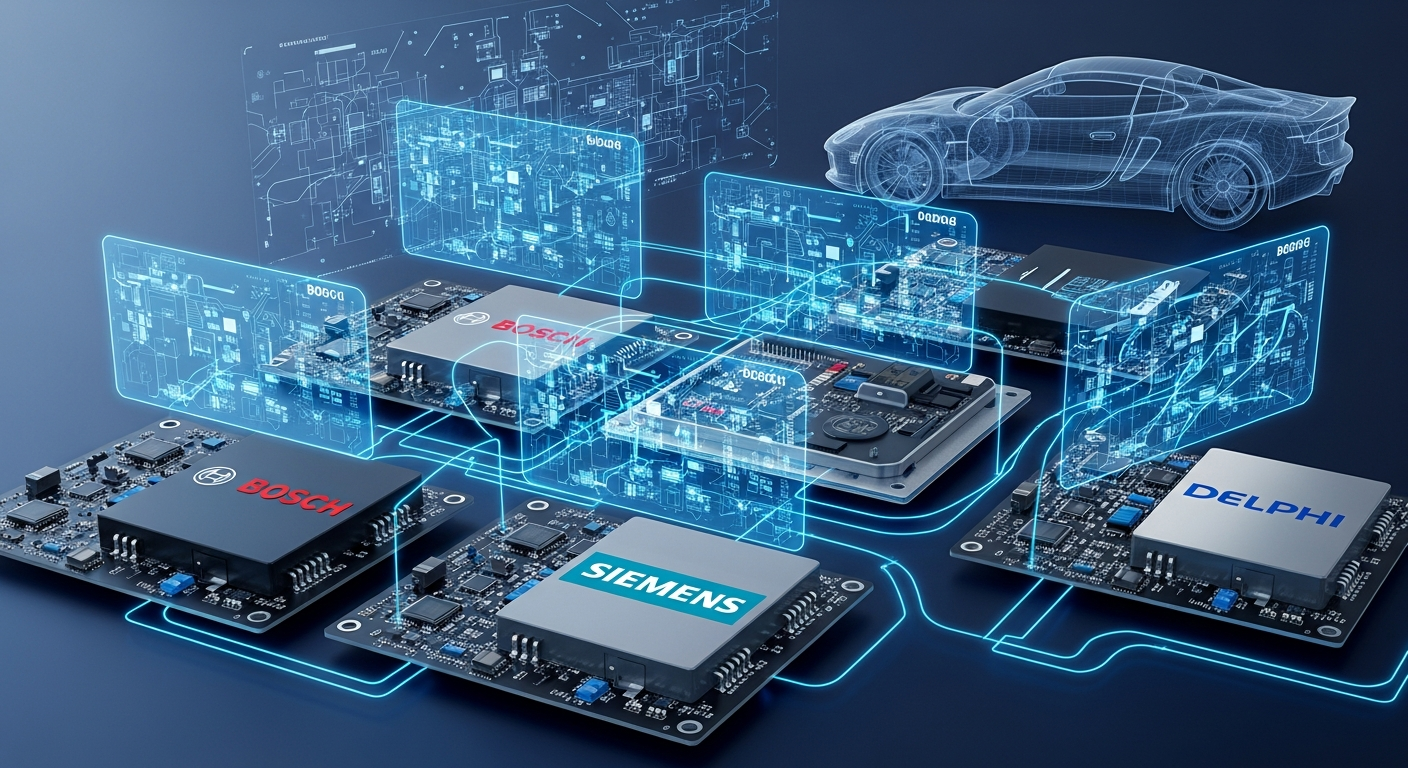
Whether you’re building a track ready machine or simply optimizing fuel economy on your daily driver, the right ECU tuning software can make all the difference. With 2026, tuning professionals and reverse engineers are turning to more versatile and precise tools that allow for safer, more powerful, and more customized calibrations. But which software stands out in a rapidly evolving landscape?
Table of Contents
Why ECU Tuning Software Matters
Modern vehicles are controlled by sophisticated engine control units (ECUs) that regulate performance, emissions, and efficiency. For car enthusiasts, tuners, and engineers, ECU tuning software is the key to unlocking extra horsepower, torque, or fuel efficiency from these engines. This process, commonly known as an ECU remap, involves modifying the software maps in the ECU to optimize engine parameters (fuel delivery, ignition timing, boost pressure, etc.). In the past, chip tuning meant physically replacing or reprogramming chips, but today’s chip tuning tools are software-and-hardware solutions that make it safer and easier.
Choosing the best ECU tuning software is crucial because it determines how accurately and efficiently you can achieve these performance gains. There is no one-size-fits-all solution the ideal tool depends on your vehicle type and your level of tuning experience. Below, we compare four of the leading ECU tuning software tools in 2025-2026 HP Tuners, Swiftec, BitBox, and Dimsport, outlining their pros, cons, and use cases for various ECU platforms.
HP Tuners: All-in-One Solution for American Vehicles

HP Tuners has made a name as a premier tuning and diagnostics suite, especially for North American vehicles. Their flagship VCM Suite (paired with the MPVI interface hardware) allows users to read the stock tune, modify countless parameters, and flash the updates back to the ECU. HP Tuners is best known for its support of American makes, notably General Motors (Chevrolet, GMC, Cadillac, etc.), Ford (Mustang, F-150, etc.), and Chrysler/Mopar vehicles. This tool combines a powerful tune editor with a scanner for real-time data logging and diagnostic trouble code reading, making it a comprehensive ECU tuning software and diagnostics package in one.
Pros:
- Great for US cars: Extensive support for ECUs in GM, Ford, and Dodge/Jeep vehicles. If you’re tuning American muscle or trucks, HP Tuners likely covers your model.
- Powerful features: Advanced tuning capabilities with access to a wide range of tables (fuel, spark, torque, etc.), plus an integrated scanner for logging engine data. This all-in-one approach streamlines the tuning workflow.
- Active community & support: Well-established user community, official training courses and tutorials available, and frequent updates. New tuners can find plenty of learning resources and shared knowledge.
Cons:
- Limited import coverage: Outside of U.S. makes, support is more sparse. It’s not the go-to for European or Asian vehicles (which often use ECUs like Bosch MED17/EDC17 not fully covered by HP Tuners).
- Hardware & licensing cost: Requires purchasing the proprietary MPVI interface and uses a credit licensing system. This can add up if you tune many different cars.
- Learning curve: While easier to get started with than some pro tools, you still need a solid understanding of tuning fundamentals. The software’s depth means beginners must invest time to learn its features.
Use Case: If you’re an enthusiast or professional primarily working on North American vehicles, HP Tuners is often the best ECU tuning software to start with. For example, a Chevrolet Camaro or Ford F-150 owner can use HP Tuners to adjust fuel maps, spark timing, or transmission settings with confidence. It’s popular for ECU remaps on GM LS/LT engines, Ford EcoBoost turbo engines, and even modern Dodge Hemi V8s. The robust data-logging and diagnostic features also help fine-tune the car on the road or dyno. However, if your focus is European models or exotic ECUs not supported by HP Tuners, you’ll need to look at other tools below.
Swiftec: Advanced Automated Tuning & Module System
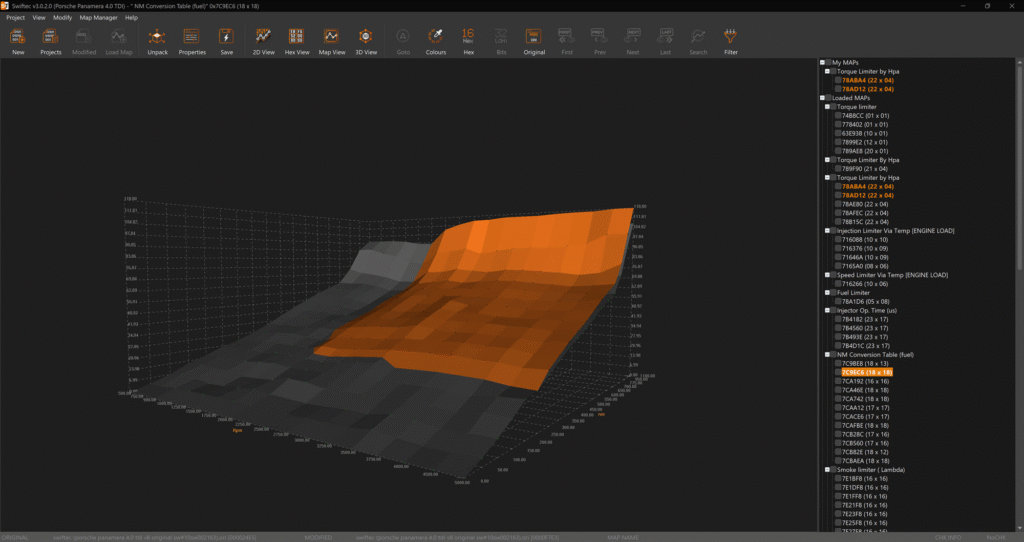
Swiftec is an advanced chip tuning software platform known for its modular approach and powerful automation. Developed by Swiftec (Swiftec LDA), it supports an extremely wide range of vehicles from passenger cars and motorcycles to heavy trucks, tractors, and even boats. Swiftec’s software can handle not only traditional engine tuning but also modifications to transmissions and even hybrid/EV systems. What really sets Swiftec apart is its suite of automated modules for common tuning tasks. This includes solutions for disabling or removing certain functions (for off-road or motorsport use) with just a few clicks tasks that would otherwise require deep manual editing.
Pros:
- Comprehensive vehicle coverage: Swiftec isn’t tied to a single make or region it covers European brands like Audi, BMW, and VW, Asian brands, American brands, and more, including diesel trucks and motorcycles. It’s built to handle almost any ECU you encounter, from Bosch to Delphi, old to new.
- Automated modules for complex features: Swiftec shines in scenarios like EGR or DPF removals, speed limit or torque limiter deactivation, and other advanced functions. It can automatically disable emission control systems (for off-road use) or add performance features like burble/popcorn rev limiters via simple checkboxes. For example, turning off a diesel particulate filter (DPF) or an exhaust gas recirculation (EGR) system in the ECU software tasks which traditionally took lots of manual map changes can be done almost instantly with Swiftec’s module. No other software comes close to its one-click solutions in this area.
- User-friendly interface (for its scope): Considering its capabilities, Swiftec provides a fairly intuitive GUI. Maps and functions are presented clearly, and it supports multiple languages. Experienced tuners appreciate the workflow efficiency, and new users find the guided modules easier than starting from scratch in hex code.
Cons:
- Premium cost (subscription-based): All this power comes at a price. Swiftec’s licensing is expensive, and additional modules cost extra. As of 2025, Swiftec has moved to a subscription only model for updates and support, meaning you must maintain an active subscription to use its full feature set. This ongoing cost can be steep for small shops or hobbyists.
- Not a beginner tool: Despite a decent UI, Swiftec is aimed at experienced file writers. Fully leveraging its deep control (beyond the automated tasks) requires understanding of ECU logic. New tuners might still feel a learning curve when dealing with complex ECU functions and module settings. In short, it’s powerful but not easy in the way a hand-holding beginner software might be.
Use Case: Swiftec is ideal for professional tuning shops or very advanced enthusiasts who work on a wide variety of vehicles and need to perform specialized modifications efficiently. For instance, a diesel truck tuning shop might use Swiftec to quickly disable DPF/EGR systems and adjust torque monitoring on Bosch EDC17 ECUs used in modern diesel engines. Swiftec is also useful if you often tune for off-road/racing needs you can create files with pops and bangs, RPM limit changes, or DTC (fault code) removal in a matter of minutes.
If you’re mainly doing Stage 1 style power tunes on common cars, Swiftec might be overkill; but for tackling many different ECU types and advanced functions, it’s a top tier ECU tuning software solution in 2025.
BitBox & BitEdit (BitSoftware): Modular Tools for European ECUs
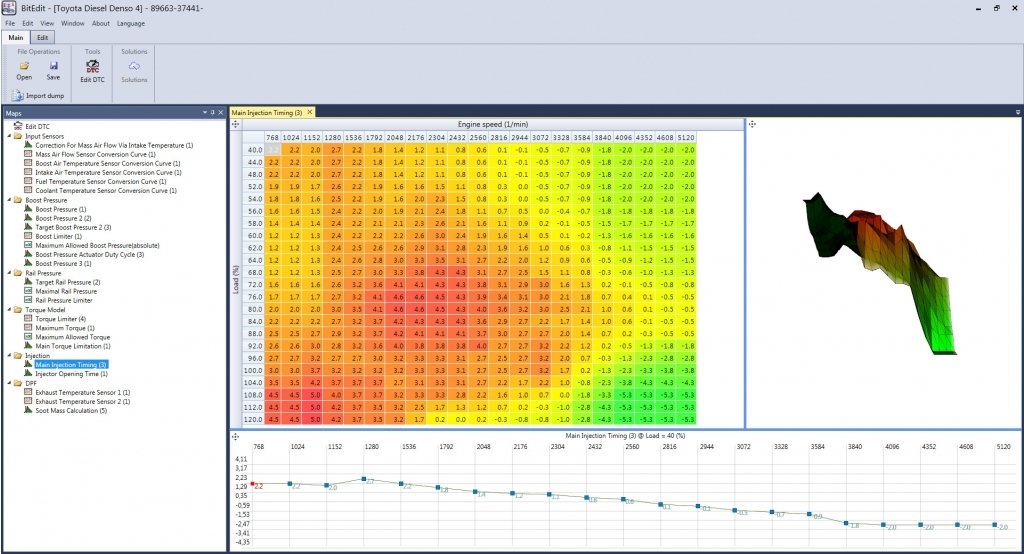
BitBox (for flashing) and BitEdit (for editing) are a paired toolkit from BitSoftware that takes a modular approach to ECU tuning. BitBox is an ECU reflash tool that works as the interface to read and write the ECU’s internal flash memory via OBD or bench connections. It uses a USB security dongle and a system of plug-in modules you purchase modules for the specific ECU families or vehicles you need. BitEdit is the companion map editing software: once you’ve read the ECU file with BitBox, you open it in BitEdit to view and modify maps (fuel, ignition, boost, etc.) in a user-friendly way. This combo primarily targets the European market, with broad support for ECUs found in European cars.
Pros:
- Strong European ECU support: BitBox/BitEdit support a wide range of popular ECU types in European makes. This includes Bosch ME/MED gasoline ECU series and Bosch EDC diesel series, Siemens/Continental, Magneti Marelli, and more across brands like VW-Audi group, BMW, Mercedes, Peugeot, Ford EU, and others. For example, common ECUs like Bosch EDC17 or MED17 (found in many VW/Audi, BMW, etc.) are covered by specific modules, making BitBox a convenient choice for European tuning.
- Modular and cost-efficient: The modular licensing means you can buy only the protocols you need. If you mostly work on, say, BMW and VAG (VW/Audi) ECUs, you might purchase just those modules instead of a very expensive all-in-one suite. This “pay as you go” approach can reduce upfront cost for small operations focusing on certain brands.
- User-friendly map editing: BitEdit provides an intuitive interface for calibration changes. It automatically lists maps from the ECU file in human-readable form, so you don’t have to manually hunt through hex you can jump straight into tweaking boost targets or fuel tables in 2D/3D views. For tuners who are not ready for ultra-complex software like WinOLS, BitEdit offers a gentler learning curve while still giving substantial control.
Cons:
- Limited all-in-one functionality: BitBox/BitEdit is somewhat specialized and lacks some advanced features of bigger platforms. For instance, it’s mainly for reading/writing and editing fuel/ignition maps; it doesn’t natively incorporate diagnostics or fancy automated solutions. In that sense, it has limited functionality compared to full suites. Extremely custom or unusual tasks might still require exporting to other tools.
- Complex pricing structure: While modular purchases can save money initially, costs can add up as you need more modules. Each ECU family (or even specific model) often requires a separate paid plugin, plus the required BitBox hardware dongle. This pricing structure can be confusing and expensive if you end up tuning many different models.
- Support and community: BitSoftware’s tools are somewhat niche, and some users report that official customer support can be slow or technical. The user community is smaller than, say, HP Tuners or Alientech’s ecosystem. This means fewer tutorials and shared files online. New users might need to rely on the official documentation or reseller support to get started.
Use Case: BitBox/BitEdit are well suited for independent tuners or small shops concentrating on European cars where specific ECU coverage is needed without investing in a huge system. If you’re, for instance, primarily tuning Volkswagen, BMW, or other EU vehicles and you want a chip tuning tool that you can scale up over time, this combo is a good choice. You might start by purchasing the Bosch MED17/EDC17 module for VAG cars (to tune GTI or TDI engines), then later add a Siemens SIMOS18 module for newer Audi/VW models.
The workflow would be: read the ECU via BitBox, then adjust maps in BitEdit’s graphical interface, and write it back. It’s a bit more hands-on and fragmented than an all-in-one solution, but it offers flexibility. Keep in mind that as your needs grow, the costs and complexity can grow as well – at which point you might consider moving up to a more integrated suite.
Dimsport: Race Evo Software and Professional Hardware
Dimsport is an Italian company well-known in the tuning industry for its professional-grade hardware and software solutions. The core of Dimsport’s offering is the Race Evo remapping software, which works in tandem with Dimsport’s reading/flashing tools (like their New Genius handheld or New Trasdata bench tool).
Race Evo was one of the first software packages to introduce driver based editing: it automatically recognizes and labels maps for the user, much like Alientech’s ECM Titanium. This makes it relatively approachable the software presents you with identified tables (for boost, fuel, timing, etc.), so you’re not digging blindly through hex. Dimsport’s solution comes in different versions (Standard, Plus, Full) depending on how advanced your needs are. It supports a comprehensive range of vehicles and ECUs, from small cars to trucks.
Pros:
- Extensive ECU support: Dimsport’s Race Evo covers thousands of vehicles. It supports major ECU families including Bosch MED17 (gasoline), Bosch EDC17 (diesel), Continental/Siemens SIMOS series (common in VW/Audi), and many others across brands. Whether you’re tuning a tractor or a supercar, chances are Dimsport has definitions for it. This broad coverage makes it a favorite for shops that see diverse vehicles.
- Map detection and user-friendly interface: Race Evo automatically detects and names maps, displaying them in an organized way, which is friendly to less-experienced tuners. You can view maps in 2D/3D charts, similar to ECM Titanium’s style, allowing relatively quick tweaks. The interface is considered easy to use for basic tuning, so it’s workable even for beginners doing simpler remaps. Meanwhile, advanced users still have access to powerful features like data logging, reporting, and even diagnostic options within the software.
- Professional-grade ecosystem: As a company, Dimsport has been around for decades and is respected globally. The Race Evo software integrates with their hardware tools seamlessly. With the Full version, experienced tuners can even define their own maps and build custom driver databases. There’s also technical support and training available from Dimsport and its distributors. Essentially, it’s a pro-level solution that can grow with you.
Cons:
- High cost and add-ons: Dimsport is not a cheap setup. The initial cost of Race Evo can be significant (the Plus/Full versions run into the thousands), and unlike some software, it doesn’t give free unlimited updates for new vehicles. Instead, you often have to purchase a driver or definition for each new ECU software version you want to tune.. This pay per vehicle version model means ongoing operating costs can be steep, making Dimsport less popular for budget conscious tuners despite its capabilities.
- Steep learning curve for advanced tuning: While basic use is straightforward, truly mastering Race Evo (especially the Full version) requires significant tuning knowledge. If you go beyond what the canned drivers provide e.g., defining completely new maps or handling very unusual ECUs it can be complex. Additionally, community support is limited compared to more widespread tools. Dimsport’s user base tends to be professionals who may not share as much info publicly, so DIY users might not find as many forum guides.
- Hardware tied: To flash ECUs, you’ll likely need Dimsport’s proprietary tools (like New Genius, etc.) unless you use another flasher. This means if you don’t already have their hardware, the entry cost is even higher. It’s a full ecosystem commitment.
Use Case: Dimsport’s solution is geared toward professional tuning businesses or very serious enthusiasts. If you run a tuning shop that regularly works on a wide array of vehicles (including trucks or agricultural equipment, for example), Dimsport offers the reliability and breadth you need. It’s commonly used by professionals in Europe and elsewhere for daily ECU remapping work, thanks to its wide support. For instance, if a client brings in a modern BMW with a Bosch MED17 ECU one day, and a commercial diesel truck with an EDC17 ECU the next, a Dimsport setup can handle both.
The ability of Race Evo to quickly identify maps means faster turnaround on tuning jobs. However, for a lone enthusiast working on a single car or a few similar cars, Dimsport might be overkill both in cost and complexity. In those cases, a more entry-level tool (or a file service) could make more sense. Dimsport truly shines in a professional environment where its investment is justified by the volume and variety of vehicles tuned.
Choosing the Right ECU Tuning Tool

Selecting the Best ECU tuning software comes down to your specific needs, your vehicle platform(s), your budget, and your level of expertise. Each tool we’ve discussed has its niche:
- Skill Level: Beginners or intermediate hobbyists might lean towards more user-friendly solutions. If you’re just starting out with, say, a single project car, a comprehensive but guided tool like HP Tuners (for American cars) or even an easier driver-based software (e.g. Dimsport’s lower-tier or Alientech’s ECM Titanium) can be more forgiving than extremely advanced software. Professional tuners or those willing to invest serious time might not mind the steep learning curve of something like Swiftec or the full Dimsport suite to get ultimate control. Consider how much hand-holding you need versus how much freedom you want.
- ECU Platform and Vehicle Type: Your choice should heavily depend on the vehicles and ECUs you plan to work with. Tuning a Bosch EDC17 diesel ECU in a European car demands different tools than tuning a GM E92 ECU in a Corvette. For American-made cars, HP Tuners is often the go-to, offering a tailored experience for those ECUs. For a wide range of European models or mixed fleets, a tool like Dimsport Race Evo or a modular setup like BitBox/BitEdit can provide the coverage you need. If your work involves a lot of special modifications (emissions deletes, etc.), Swiftec might be the smartest choice due to its unique modules. In practice, many professional tuners actually employ multiple tools for example, using HP Tuners for Corvettes and Mustangs, but switching to Swiftec or Dimsport when a BMW or Audi rolls into the shop. No single tool covers every car perfectly, so evaluate which platforms you’ll tune the most and choose accordingly.
- Budget and Support: Keep in mind the total cost of ownership. Some tools have higher upfront costs (hardware and software) but lower ongoing fees, while others might be subscription-based. Factor in not just the initial price, but also the cost of licenses, modules, or updates over time. Also consider the availability of support and community it’s often invaluable to have forums, courses, or help desks to turn to when you hit a roadblock. For instance, HP Tuners and Dimsport have formal support channels and large user bases, whereas a niche tool might leave you more on your own.
In summary, the best ECU tuning software in 2025-2026 isn’t a one size fits all answer. If you’re a DIY tuner with a single daily driver, start with a tool that matches your car and offers a gentle learning curve.
If you’re an expanding tuning business, you’ll likely need a couple of the above tools to cover different needs perhaps an intuitive driver-based editor for quick jobs and a more hardcore package for specialized tasks. Always ensure the tool you choose supports the ECU in your vehicle (e.g. Bosch MED17, EDC17, SIMOS18, etc., as relevant) and provides the functionality you require. By aligning the software’s strengths with your specific goals, you’ll set yourself up for success in the world of ECU remapping. Happy tuning!
Let's Work Together
Need Professional Assistance with Reverse Engineering or Cybersecurity Solutions? Our Team is Ready To Help You Tackle Complex Technical Challenges.